How to get 33% off your Canvas order.
NOVEMBER 30TH, -0001
Want to get 33% off your Canvas? It's simple. You can use either the Download Editor, or make your Canvas online. Offer expires 7th December, 2015.
Here's how:
DOWNLOAD EDITOR INSTRUCTIONS
STEP ONE
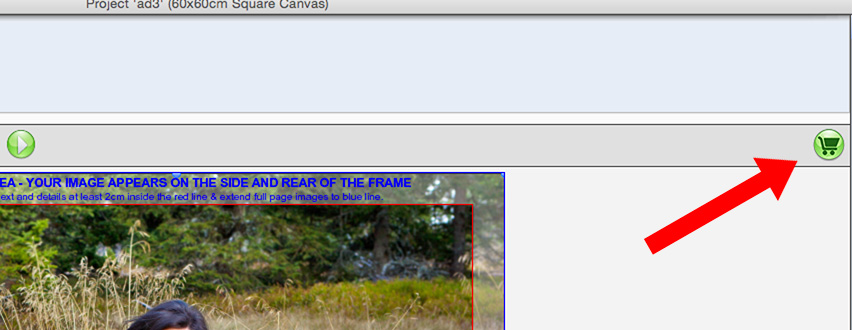
If you haven't already, download our Editor by clicking Get Started in the top right of this page. Once you have downloaded and installed the Editor, you can make your Canvas. When you have finished, click the green cart icon to take you to the Shopping Cart.
STEP TWO
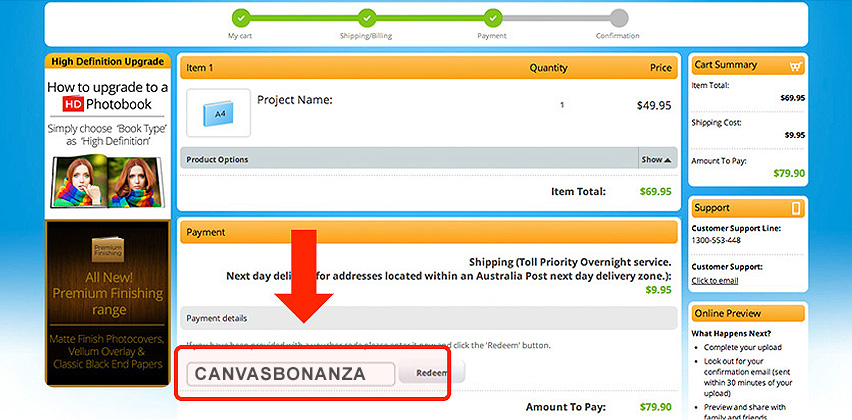
On the Payment page of the Shopping Cart, you will see a 'Voucher Code' field. Enter the code CANVASBONANZA in the field and click Redeem. This will deduct 33% off your Canvas order.
STEP THREE
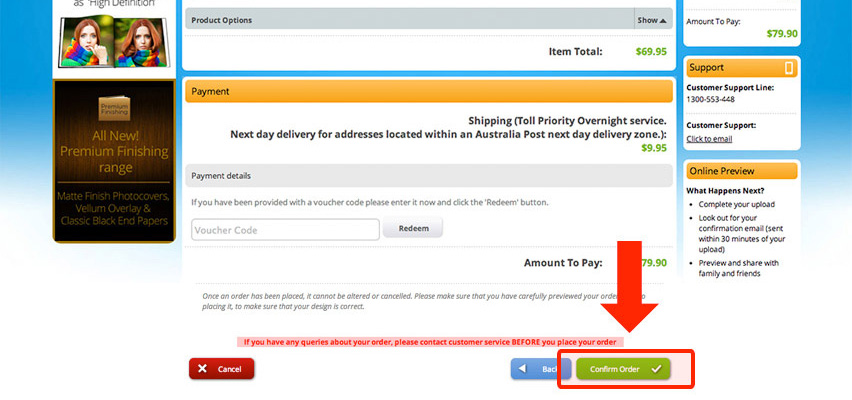
Complete your order by clicking “Confirm Order”. You will then be prompted to upload your order.
And that's it! If you have any trouble creating either product, just give our Customer Service team a call on 1300 553 448.
MAKE ONLINE INSTRUCTIONS
STEP ONE
Select the product you would like to make on our Canvas page.
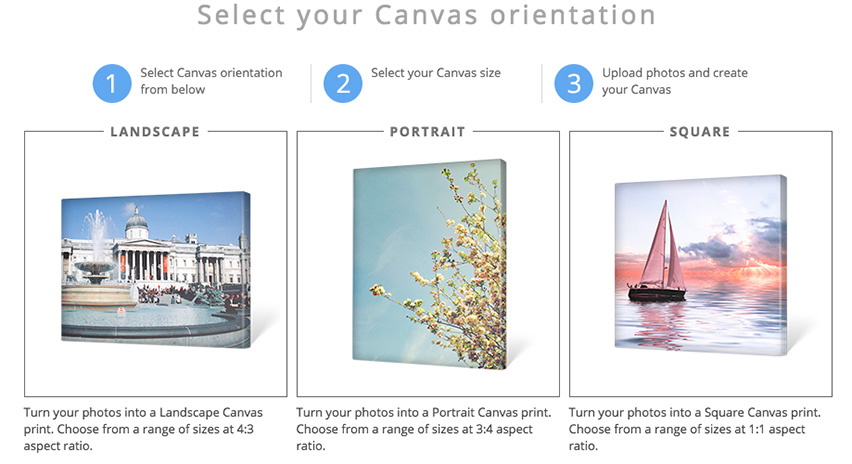
The online Editor allows you to use one great, high resolution photo for your print (use the download Editor for multiple photos).
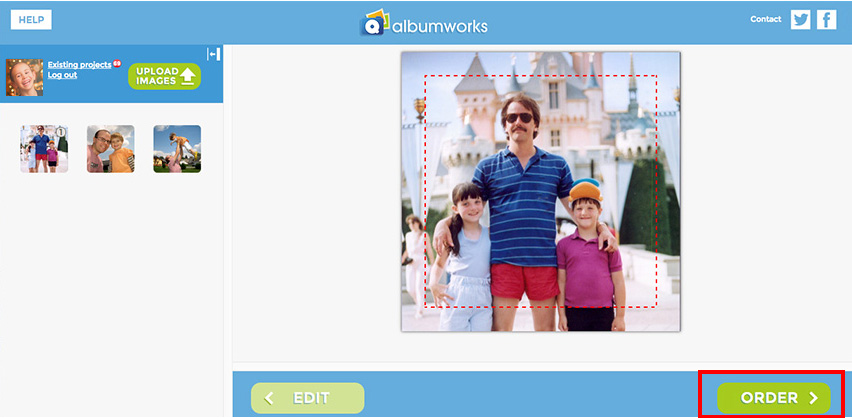
Remember to keep all important elements inside the red line - this is where we will fold your canvas edges!
STEP TWO
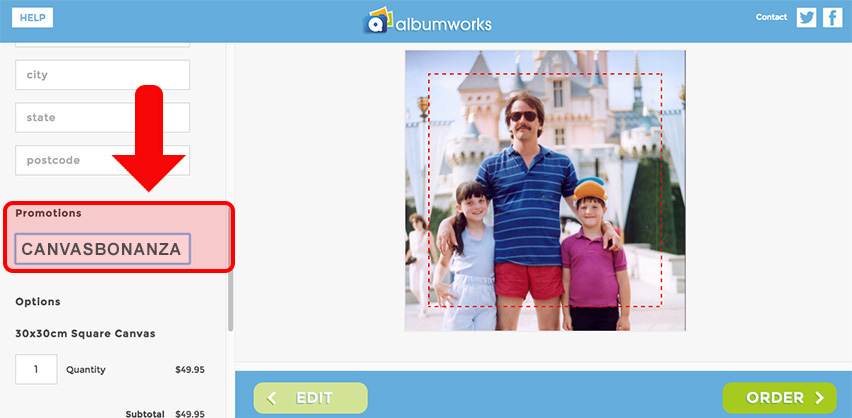
Once you're ready, hit the ORDER button in the bottom right of the page. Then enter the Voucher Code CANVASBONANZA into the Promotions field in the Shopping Cart.
STEP THREE
Hit SUBMIT and order your Canvas.
All orders must be placed before 7th December, 9PM (AEDT).
And that's it! If you have any trouble creating either product, just give our Customer Service team a call on 1300 553 448.