How to get your Super Special - 20 Extra Pages Free.
FEBRUARY 24TH, 2014

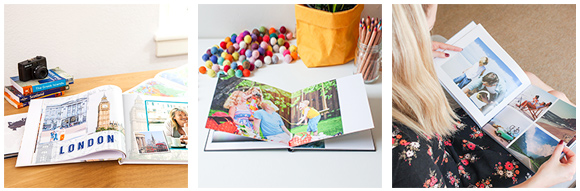
Want to take advantage of our Super Special and get 20 Extra Pages absolutely FREE in your Photo Book!
In order for you redeem this offer, you must:
- Order before 9pm AEST Monday 3 March 2014, AND
- Use voucher code SUPER6PAGES in the shopping cart.
Find out how to do the above, by following these instructions ...
How do I claim my Super Special offer?
In order to claim your Super Special offer - 20 Extra Pages Free, you *must* follow these instructions:
1) Adding your Extra Pages inside the albumworks Editor
The first half of this promotion, is adding the extra pages to your Photo Book inside the albumworks Editor. Follow the instructions below...

To add extra pages to your album, click on the 'Page' menu in the top menu bar, then click 'Add'. This will add an extra two pages before the last page of the album.
Alternatively you can click on the 'Page' menu and select 'Insert' (or press Ctrl-I on your keyboard). This will add an extra two pages before the page spread you are on.
You can also remove pages via the 'Page' menu in the top menu bar (or by selecting the spread and pressing Ctrl-D on your keyboard).
For clarity, a page is considered one side of a sheet of paper and are always added in pairs and cannot be added individually.
Remember, that the Super Special offer allows you to add up to an extra 20 pages (ie. 10 page pairs) absolutely FREE!
Proceed to designing the extra pages of your Photo Book, as per usual.
Once you have finished creating your Photo Book, proceed to the Shopping Cart by clicking the green 'Shopping Cart' icon (near the top right corner of the albumworks Editor).
2) Applying your discount inside the Shopping Cart
To receive your Super Special Offer, you must apply the voucher code SUPER6PAGES on the 'Order Details' page in the Shopping Cart:

Once you apply your Voucher Code, the 20 Extra Page Free pricing will be applied to your order. You can then proceed and complete your purchase.

We hope you (and/or your loved ones) enjoy your Photo Book for years to come!
Sandra
PS. Want to keep informed about other great offers, or receive tips and inspiration for taking amazing photos, and making beautiful Photo Books? Just like our Facebook page.