$30 off your first order with albumworks!
JANUARY 1ST, 2000

Want to get $30 off* your first order with albumworks? Create any product using our desktop or online Editor and follow these simple steps to get your new customer discount!
STEP ONE
If you haven’t already, you can download our free Editor by clicking on the “CREATE NOW” button at the top of this page, or create your product online.. If you have any troubles creating your product, consult our How To Make page, or feel free to give our friendly Customer Service team a call on 1300 553 448.
STEP TWO
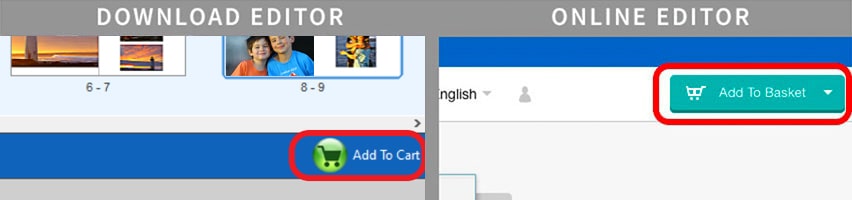
Create any product of your choice. When you're finished creating your product, click the green shopping cart icon in the corner to proceed to the Shopping Cart.
STEP THREE
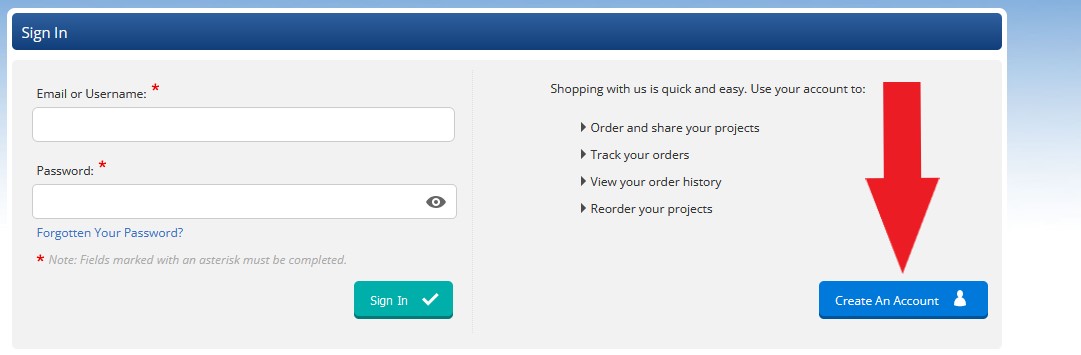
Because this is your first order with albumworks, you will be prompted to create an account. Once in the Shopping Cart, you can add any additional features that may be available to you.
STEP FOUR
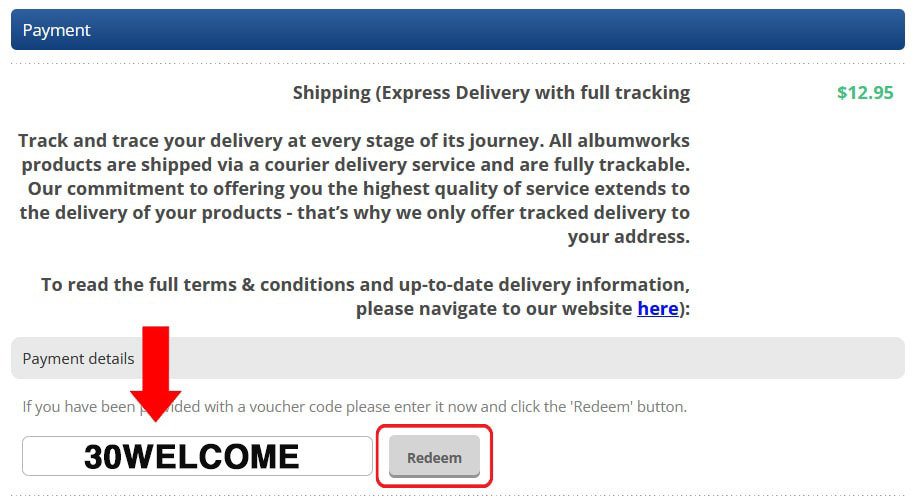
Enter the voucher code 30WELCOME on the Payment page of the Shopping Cart. The "Payment" page is the third page of the Cart. You must complete the "My Cart" and "Shopping/Billing" pages first.
On the "Payment" page you will see a Voucher Code field. Enter the code 30WELCOME in the field and click Redeem. This will reduce the cost of your product total by $30.
*Please note: discount is applied to the product total only. Shipping will be charged at the full price
STEP FIVE
Then, just click ‘Confirm Order’ and ensure your project has been uploaded to our server to finalise your order.
If you have any problems, our Customer Service team are happy to help. Just call 1300 553 448.
*Discount will be applied to the product total only. Shipping will be charged at the full price